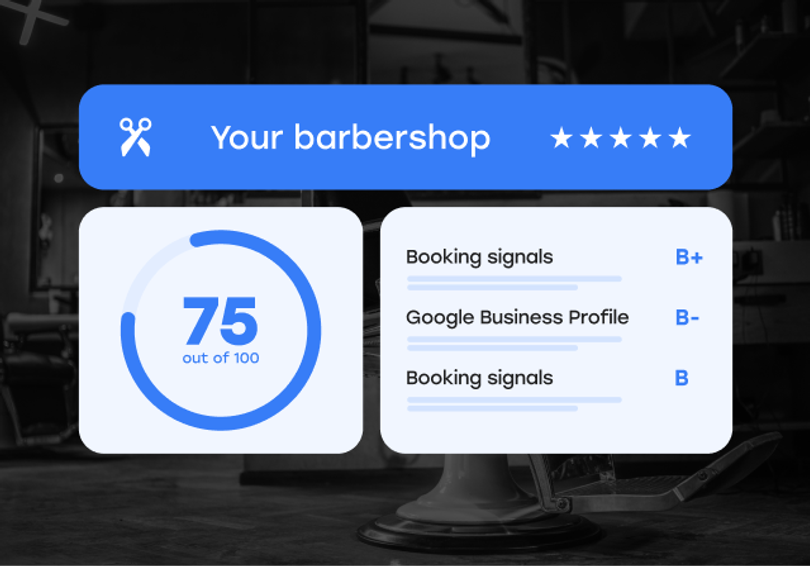
You ran the SQUIRE Visibility Report.
Your GBP section came back with flags.
Maybe one. Maybe three. Either way, the score is telling you something specific: there are gaps in how you show up when a new client searches for a barber in your area, and those gaps have a direct cost.
Most GBP issues take less than an hour to fix once you know what to change. This guide walks through each flag, what it means, and exactly what to do. Your Google Business Profile is one of six categories in your score, so if you want the full picture first, start with what each Visibility Report check reveals.
What the GBP score is actually measuring
Your Google Business Profile (GBP) is often the first thing a potential client sees before they visit your website or social pages.
The Visibility Report checks five things on your GBP: your business description, your photos, whether your website and booking link are connected, and how your review count stacks up against local competitors.
Each flag represents a signal Google uses to decide where your shop appears in local results. A profile that's missing information or hasn't been updated recently tends to rank below one that's complete, active, and consistent.
Here's what each flag means.
Flag: "Google profile description is empty"
Your business description is one of the few places you control exactly what Google and potential clients read about your shop before they click anything.
An empty description sends two signals at once. To potential clients, it reads as a shop that hasn't put in the effort. To Google, it's missing context that helps the algorithm match your profile to relevant searches.
How to fix it
Go to your Google Business Profile manager at business.google.com and open the Edit Profile section. The description field allows up to 750 characters.
Write something specific. What neighborhood are you in? What do you specialize in? What makes your shop different from the one two blocks away? Skip the generic claims. A description that names your location, your specialty services, and who you serve does more work than "We are a professional barbershop offering quality haircuts."
Aim for three to four focused sentences. Update it at least once a year so it stays current.
Flag: "Profile photos below top shop range"
Photos are a ranking signal, not just decoration.
Google weights profiles with photos more heavily in local results. Shops with 100 or more photos get significantly more views and direction requests than those with a handful of images.
The Visibility Report flags you when your photo count falls below the range seen in top-performing shops in your area. That range varies by market, but the gap is usually easy to close.
How to fix it
Start with three categories: the exterior (so clients know what to look for when they arrive), the interior (so they get a feel for the space), and the work — current fades, cuts, lineups.
Use real photos. Google can surface profile images directly in local search results, and real shop photos build trust that generic images don't.
Set a routine. Adding two to three photos per month signals to Google that your listing is active. A one-time upload of 50 photos followed by six months of nothing is less effective than a steady cadence over time.
Flag: "Website not linked to profile"
This flag can cover a few related issues: your website URL isn't connected, your phone number isn't listed, or your booking link isn't attached to your profile.
Each one is a separate missed opportunity.
A missing website link means Google can't verify your business details or send clients somewhere they can learn more and book. Once it’s connected, make sure the site itself gives Google clear signals too: local SEO for barbershops covers the page title, H1, and schema markup that confirm you’re a local business. A missing phone number creates friction for clients who want to call before visiting. A missing booking link is the most costly: clients who find you in local search and want to book immediately have nowhere to go.
How to fix it
In your Google Business Profile manager, go to Edit Profile and confirm three things: your website URL is current and resolves (actually test it, don't just verify the link is there), your primary phone number is correct, and your booking link is connected.
For the booking link, SQUIRE connects your booking flow directly to your Google listing through Reserve with Google, so clients can book from the search result without opening your website or creating an account. Set that up through SQUIRE online booking and the booking button appears on your profile automatically. If clients still bounce before booking, booking signals shows how to spot a login wall or a buried Book button.
What top shops look like on reviews
The Visibility Report also checks your review count against a benchmark of 200-plus reviews seen in top-performing shops.
This matters because review count is one of the strongest signals Google uses to rank local search results. A shop with 300 reviews and a 4.8 average has a structural advantage in local search over a shop with 50 reviews and a perfect 5.0, even if the second shop does better work.
Most shop owners understand reviews matter. Fewer have a system that generates them consistently without depending on someone remembering to ask after every cut.
The gap between shops above 200 reviews and those stuck below it usually comes down to automation. Data from thousands of SQUIRE shops shows that shops using automated review requests see up to 4x more reviews than those relying on manual outreach.
SQUIRE Google Reviews Booster sends the review request automatically after every appointment. No one on your team has to remember. Available on Executive and above.
After you fix the flags
Run the Visibility Report again after you've made changes. GBP updates typically take a few days to reflect in Google's index, and review momentum takes longer. Give it a week before expecting your score to move.
Focus on the flags with the most visible impact first. The description and booking link are both quick fixes with immediate results. Photos and reviews take longer to build but compound over time.
FAQs
Your Visibility Report score shows exactly where your GBP stands right now.
One score. Six categories. Specific flags you can act on.
Ready to try SQUIRE?