Your Instagram is probably your shop's strongest marketing asset. It's also probably not driving as many bookings as it could.
Most shops have the content side figured out: great cuts, a growing following, consistent posts. What's missing is the conversion layer: the path that takes someone from scrolling to a confirmed appointment.
Instagram is one of the most effective client acquisition channels available to shop owners right now. But most shops treat it as a digital portfolio instead of a booking engine. This guide gives you the system: what to post, how often, and how to close the gap between the scroll and the chair.
For a broader look at filling your calendar, see our barbershop marketing tips guide.
Set Your Profile Up for Discovery
Before you post anything, your profile has to work.
Instagram uses your Name field (the bold text below your profile photo) as a local search signal. When someone in your city searches "barber near me" or "fade specialist in Houston," this field is one of the things Instagram checks.
Don't put a slogan there. Put what your shop does and where it is. Something like: "King Cutz | Houston Barbershop" or "Downtown Cuts | Fades + Beards, Atlanta." Clear beats clever here.
Your bio follows the same logic. Four lines:
- What your shop specializes in
- Your city or neighborhood
- A trust signal (years open, number of barbers, any signature services)
- A direct instruction: "Book below" or "Tap to grab your spot"
And your link in bio should go directly to your booking calendar. One tap. No detours.
What to Post (Most Shops Get This Wrong)
The most common mistake: posting only finished cuts.
Finished cuts matter, but they're one piece of a system. Here's the content mix that builds a following and actually fills a calendar.
Transformation content. Before-and-after. The visual payoff. This drives saves and shares, which signals to the algorithm that your content is worth spreading. Aim for two or three per week.
Process content. A 15-second clip of a fade in progress. The cleanup on a beard line. Seeing the work up close is more convincing to a first-time client than seeing the end result alone.
Availability content. Direct and low-pressure. "Two spots open Tuesday. Link in bio." This is the type of content that converts passive followers into confirmed bookings. Most shops underuse it.
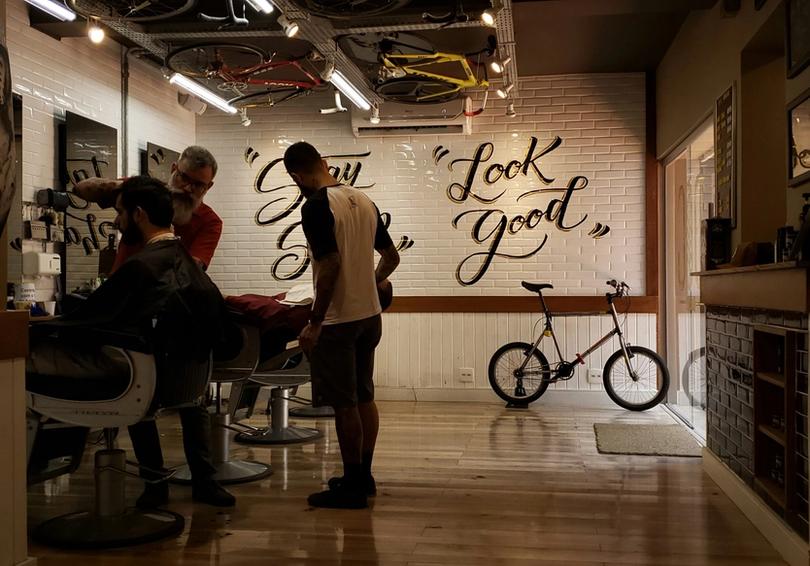
Culture content. Your shop, your team, the atmosphere. Clients don't just book a haircut. They book an experience. Show them what yours feels like.
Reels vs. Static Posts
Short answer: Reels reach new people. Static posts keep your grid sharp for first impressions.
Instagram is heavily weighted toward Reels right now. A 20-second transformation Reel will reach significantly more people than the same cut posted as a photo. If you're not posting Reels, you're giving up reach to shops that are.
That said, your grid still matters. When someone lands on your profile for the first time, those first nine squares are how they decide whether to follow or book. Mix both.
For Reels: keep them 7 to 20 seconds. Start mid-cut. Don't open on setup. Add a text overlay with the cut type and your city. Keep captions direct and always include a booking call to action.
How Often to Post
Consistency matters more than volume.
Three solid posts a week, every week, will outperform a burst of ten posts followed by two weeks of silence. Instagram rewards accounts that show up on a schedule. Going dark loses reach, and rebuilding it takes longer than maintaining it.
A sustainable starting cadence for a shop:
- 3 Reels per week (transformations, process clips, availability)
- Stories 4 to 5 days per week
- 1 static post per week
Stories are underused by most shops. They're how your existing followers see you daily, not just when a post hits their feed. Post your open slots there. Respond to replies. Stories build the ongoing touchpoint that brings clients back every few weeks. That kind of consistency is what builds a client retention system that compounds over time.
Turning a Profile Visit into a Booking
This is where the money gets left on the table.
A client can love your content, visit your profile, and still never book, because the path from "I want this" to "I'm confirmed" has too many steps or sends them somewhere confusing.
Angel, a shop owner using SQUIRE, described the standard her shop holds: "Once they hit that link in bio, they can book right there."
That's what the experience should feel like. One tap from your profile to a live booking calendar. No form to fill out. No DM chain. No call-back required.
SQUIRE's Instagram booking integration connects your link in bio directly to your shop's booking page. A client finds you, likes what they see, and books in under a minute.
See how Instagram booking works with SQUIRE
What to Stop Doing
A few patterns that hurt more than they help.
Posting cuts with no hook. Great work needs context. Add what the client asked for, what you changed, how long it took. Give people a reason to save the post.
Using generic hashtags. Tags like #barber and #fade are so oversaturated they give you almost no discoverability. Use city-specific and style-specific tags instead. #AtlantaBarber will reach more of the right people than #Barber ever will.
Sending followers somewhere confusing. A bio link that goes to a homepage, a Yelp page, or a dead URL breaks the conversion. Check your link in bio right now. Where does it go? How many taps does it take to book?
Going dark for weeks. Even a single Story a day keeps your shop visible to the followers you already have. You don't need a film crew. You need your phone and 30 seconds.
FAQs
The System, Not the Moment
Instagram rewards consistency over perfection. A shop that posts three times a week for six months will outperform one that posts brilliantly for two weeks and disappears.
Build the habit: transformation content shows what your shop can do, process content builds trust, availability content drives bookings. Keep your profile optimized, your link pointed straight at your calendar, and your Stories active between posts.
That's the difference between a portfolio and a booking engine.
Ready to close the gap between scroll and chair? Set up Instagram booking through SQUIRE and let clients book directly from your profile.
Ready to try SQUIRE?