The numbers made sense six months ago. They still make sense now. You've sat through the demo, compared the monthly cost, and know which platform you want.
You haven't moved yet.
For most shop owners, the sticking point is fear of the gap: a short window where something breaks, a client shows up at the wrong time, and the next two Saturdays are spent untangling it.
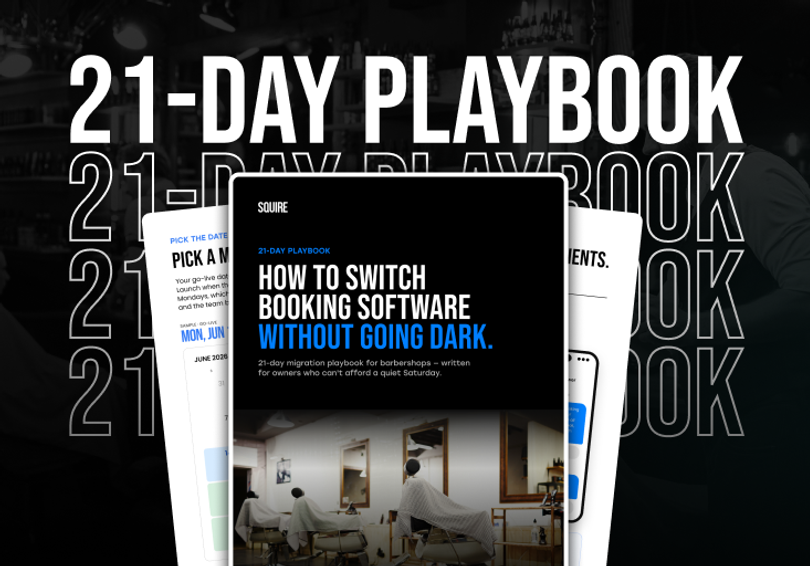
Most barbershops can switch booking software in about 21 days, with zero missed appointments. This post covers the fears that keep shops stuck and the core principles that make the move clean. For the complete step-by-step, the pre-switch checklist, and a launch day guide, download the free 21-Day Switch Playbook.
What's Actually Holding You Back
Three specific fears keep shop owners from making the move.
A client books on the old system after you've already switched. They show up. The barber has no idea they're coming.
A barber loses years of client notes in the transfer. Six years of regulars, service history, tip preferences. Gone.
Card data doesn't move between platforms. Every client has to re-enter payment info the first time they book on the new system.
That third one is real. Card data doesn't transfer between platforms. Full stop. Clients re-enter it on their first new booking. That's expected, and most handle it without friction.
The first two are prep problems. The 21-day window exists specifically to eliminate both before you go live.
The One Rule That Makes or Breaks Launch Day
Most shops that have a rough switch do the same thing: they run two systems at the same time.
The logic makes sense. Keep the old platform running while you test the new one. Hedge your bets. But two live booking systems cause double bookings, confuse your team, and confuse your clients. The overlap creates exactly the chaos you were trying to avoid.
The shops that switch cleanly commit to one cutover. On go-live morning, the old booking link goes dark. Every booking from that moment runs through the new system. Online booking pauses briefly during the switch. That's expected and normal.
By the time you flip the switch, the prep has already done the work — services configured, team trained, client data in the new system. Launch day should feel like a Tuesday morning, not a stage performance.
What the 21-Day Window Looks Like
Three weeks is enough time to make launch day boring. The work falls into three phases.
Weeks 1-2: Prep. Lock a go-live date (Monday or Tuesday, not Saturday), kick off your data migration, clean up your service menu, and schedule staff training for a few days before go-live. The best platforms handle the data import for you.
Day 0: Launch. One clean cutover. Old link goes dark, new system goes live. Send one short message to your client list with the new booking link. SQUIRE Engage lets you do that in a single send. See how SQUIRE Engage works.
Weeks 1-3 post-launch: Stabilization. Confirm your booking link is visible on Google, Instagram, and your website. Verify your no-show policy is active on the new system. Minor revenue dips in the first two weeks are normal — pull your first real comparison at week three.
For the complete checklist with exact timing on every step, the launch day sequence, a staff training guide, and the client message template, download the 21-Day Switch Playbook. It's free.
FAQs
Most of the friction is in the prep, not the platform. If you're also evaluating whether your current setup is meeting your broader operational needs, not just booking, the barbershop operations guide covers the full stack. SQUIRE's onboarding team handles the data import, appointment migration, and staff training as part of the process. Most barbershops are fully live within 21 days. See how the switch works.
Ready to try SQUIRE?